The Complete Guide to SMS API Integration for Nigerian Businesses
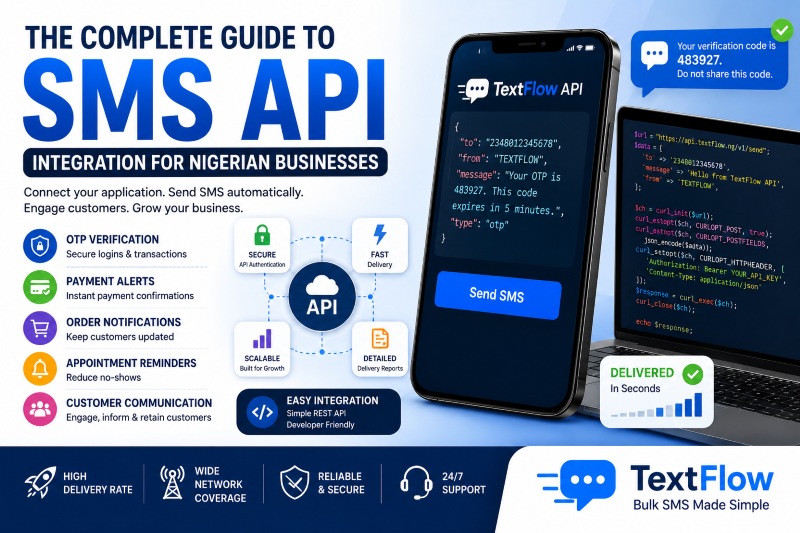
The Complete Guide to SMS API Integration for Nigerian Businesses
As businesses become more digital, customers expect instant communication. Whether it's receiving a One-Time Password (OTP), a payment confirmation, or an order update, automated SMS notifications have become an essential part of the customer experience.
This is where an SMS API comes in.
An SMS API enables your website, mobile application, or software platform to send SMS messages automatically without manual intervention. From banks and fintech companies to e-commerce stores and schools, organizations across Nigeria use SMS APIs every day to communicate with customers quickly and securely.
In this guide, we'll explain what an SMS API is, how it works, and why every modern business should consider integrating one.
What is an SMS API?
API stands for Application Programming Interface.
An SMS API is a service that allows your software to connect directly with an SMS platform like TextFlow, enabling it to send text messages automatically whenever certain events occur.
For example, your application can automatically send an SMS when:
-
A customer registers.
-
A user requests a password reset.
-
A payment is successful.
-
An order has been shipped.
-
An appointment is confirmed.
-
A login verification code is generated.
Instead of sending messages manually, everything happens automatically in the background.
How Does an SMS API Work?
The process is simple:
-
A customer performs an action on your website or app.
-
Your software sends an API request to the TextFlow SMS server.
-
TextFlow processes the request.
-
The SMS is delivered to the customer's mobile phone.
-
Your application receives a delivery response.
The entire process usually takes only a few seconds.
Common Uses of SMS APIs
1. One-Time Password (OTP) Verification
Banks, fintech companies, and mobile applications use OTPs to verify users during login or transactions.
Example:
"Your TextFlow verification code is 483927. This code expires in 5 minutes. Do not share it with anyone."
OTP SMS improves account security and helps prevent fraud.
2. Payment Notifications
Whenever customers make payments, they expect immediate confirmation.
Examples include:
-
Successful payments
-
Failed transactions
-
Wallet funding
-
Subscription renewals
-
Invoice confirmations
Instant SMS notifications build trust and reassure customers.
3. Order Updates
Online stores use SMS APIs to notify customers when:
-
Orders are received.
-
Payments are confirmed.
-
Orders are dispatched.
-
Deliveries are completed.
These updates improve customer satisfaction and reduce support enquiries.
4. Appointment Reminders
Hospitals, clinics, salons, and consulting firms use SMS APIs to send appointment reminders automatically.
Example:
"Reminder: Your appointment with Dr. Okafor is scheduled for tomorrow at 10:00 AM."
Automated reminders help reduce missed appointments.
5. Account Notifications
Applications can automatically notify users about:
-
Password changes
-
New device logins
-
Account verification
-
Security alerts
-
Profile updates
These messages help protect user accounts and improve transparency.
6. Delivery Notifications
Logistics companies can automatically notify customers when parcels are:
-
Picked up
-
In transit
-
Out for delivery
-
Successfully delivered
Customers appreciate being informed throughout the delivery process.
7. School Automation
Schools can integrate SMS APIs into their management systems to send:
-
School fee reminders
-
Attendance alerts
-
Examination schedules
-
PTA notifications
-
Admission updates
This reduces manual work for school administrators.
8. Church Management Systems
Church management software can automatically send:
-
Service reminders
-
Birthday greetings
-
Prayer meeting updates
-
Programme announcements
-
Follow-up messages for first-time visitors
Automation helps churches maintain regular communication with members.
Benefits of SMS API Integration
Save Time
Instead of manually sending hundreds of messages, your software does the work automatically.
Improve Customer Experience
Customers receive important updates immediately, making your business appear more responsive and professional.
Increase Efficiency
Automation eliminates repetitive tasks and allows staff to focus on more valuable work.
Reduce Errors
Automatic messaging reduces the chances of forgetting to notify customers or sending incorrect information.
Scale Easily
Whether you're sending 100 messages per day or 100,000, an SMS API grows with your business.
Industries That Benefit from SMS APIs
SMS APIs are widely used by:
-
Banks
-
Fintech companies
-
E-commerce stores
-
Logistics companies
-
Hospitals
-
Schools
-
Churches
-
Insurance companies
-
Hotels
-
Airlines
-
Utility companies
-
Government agencies
-
SaaS companies
-
Real estate firms
-
Event management companies
Any business that communicates regularly with customers can benefit from SMS automation.
Features to Look for in an SMS API
Before choosing an SMS API provider, consider the following:
-
Fast delivery
-
Reliable uptime
-
Secure API authentication
-
Detailed delivery reports
-
Comprehensive documentation
-
Easy integration
-
Competitive pricing
-
Responsive technical support
-
Scalable infrastructure
Choosing the right provider helps ensure a smooth integration and reliable service.
Why Developers Love TextFlow API
TextFlow is designed with developers in mind.
Our SMS API offers:
-
Simple REST API architecture
-
Secure authentication
-
Fast message delivery
-
Real-time delivery reports
-
High availability
-
Comprehensive documentation
-
Scalable infrastructure
-
Competitive pricing
-
Responsive technical support
Whether you're building a startup, an enterprise application, or a customer portal, TextFlow makes SMS integration straightforward.
Frequently Asked Questions
Do I need to be a programmer to use an SMS API?
Yes. API integration typically requires a developer or someone familiar with software development. However, TextFlow also provides an easy-to-use web dashboard for users who prefer sending SMS manually.
Can I integrate an SMS API with my website?
Absolutely. SMS APIs can be integrated into websites, mobile applications, CRMs, ERPs, e-commerce platforms, and other business systems.
Is SMS API secure?
Yes. Modern SMS APIs use secure authentication methods to protect communication between your application and the SMS platform.
Can startups use SMS APIs?
Definitely. SMS APIs are suitable for businesses of all sizes, from startups to large enterprises.
Getting Started with TextFlow SMS API
Integrating TextFlow into your application is straightforward:
-
Create a free TextFlow account.
-
Verify your account.
-
Generate your API credentials.
-
Read the developer documentation.
-
Connect your application using our REST API.
-
Start sending automated SMS in minutes.
Our technical team is available to assist developers throughout the integration process.
Conclusion
Automation has become a competitive advantage for modern businesses. An SMS API enables your systems to communicate with customers instantly, accurately, and securely without manual effort.
Whether you're building an e-commerce platform, a fintech application, a hospital management system, or a school portal, SMS automation improves customer experience while reducing operational workload.
If you're looking for a reliable SMS API in Nigeria, TextFlow provides the speed, security, documentation, and scalability your business needs. Create your free account today and start integrating automated SMS into your applications with confidence.